Machine Authentication
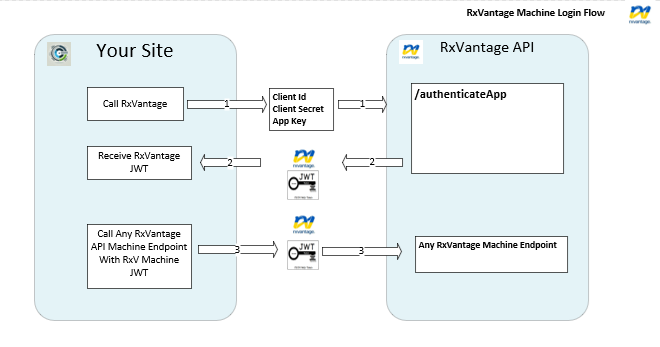
Step 1: To use the RxVantage API, you will need to request a machine JWT token by sending your client id and client secret to the Machine Authentication Endpoint. Please contact TBD in order to recieve your pertinent client id and client secret.
Step 2: Once you have a client Id and client secret, interacting with the RxVantage API consists of 2 main steps.
Step 2A: Request and authorization token using the Machine Authentication Endpoint. This endpoint will require you to enter your client ID, client secret and appKey. These values will be provided to you upon request.
Step 2B: Once you have an authorization token, you will use that as a BearToken on subsequent API requests. The Bearer token should be placed in the header as an Authorization header.
This is a diagram of the machine login flow: